
You can now your iPhone or iPad, running iOS 10 or later, as a
physical security key for securely logging into your Google account
as part of the Advanced Protection
Program[1] for two-factor
authentication.
Android users have had this
feature[2] on their smartphones
since last year, but now Apple product owners can also use this
advanced, phishing-resistant form of authentication as an
alternative to a physical security key.
Adding extra security later of two-step authentication is one of
the more essential steps you can take to secure your online
accounts, which makes it harder for attackers to log in to your
account, especially when they steal your password.
“According to a study we [Google] released last year, people who
exclusively used security keys to sign into their accounts never
fell victim to targeted phishing attacks,” said Shuvo Chatterjee,
Product Manager at Google’s Advanced Protection Program.
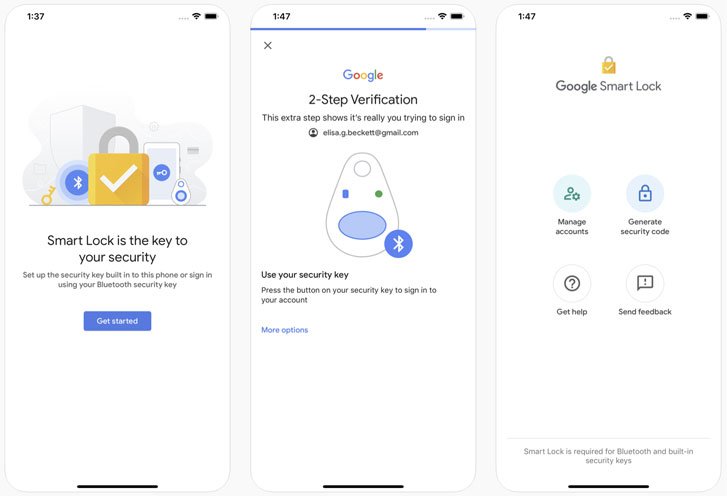
that can now turn your iOS device into a physical security key—a
tiny device that cryptographically generates tokens to confirm your
identity to a website instead of requiring you to receive secret
tokens over insecure communication channels e.g., email and SMS.
“Security keys use public-key cryptography to verify your
identity and URL of the login page, so that an attacker can’t
access your account even if they have your username or
password.”
The app stores your private keys in the iPhone’s secure enclave,
a separate processor inside modern iPhones that handles biometric
information such as your fingerprint, Face ID, and other
cryptographic data—that is why it’s only available on iOS 10 and
above.
Setup is relatively simple.
To get started[3], you first need to
install the Smart Lock
app[4] on your iOS device, pair
your phone with your laptop over Bluetooth to set the phone as a
security key for your Google account, and then enroll in Google’s
Advanced Protection
Program[5].
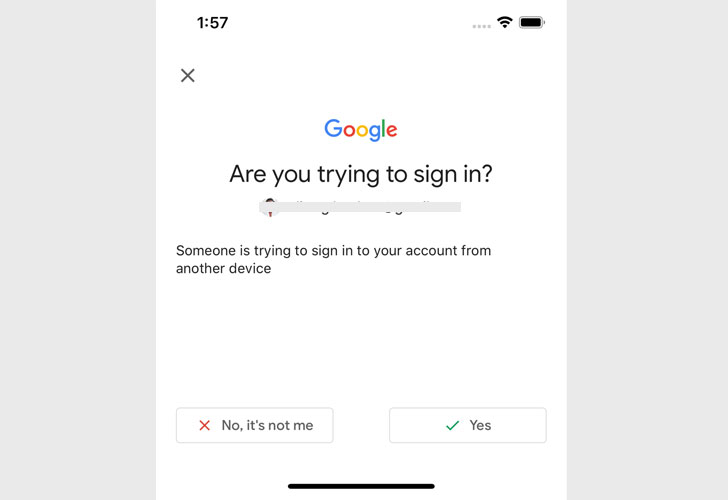
web browser with your username and password, you will be prompted
to open the Smart Lock app on your iPhone and confirm the sign-in,
and of course, you need to have Bluetooth enabled on both devices.
After activating this, you are also recommended registering a
backup security key to your account, just in case you lose your
phone.
References
- ^
Advanced Protection Program
(blog.google) - ^
this feature
(thehackernews.com) - ^
started
(support.google.com) - ^
Smart Lock app
(apps.apple.com) - ^
Advanced Protection Program
(myaccount.google.com)
Read more http://feedproxy.google.com/~r/TheHackersNews/~3/0FvbyYajBx0/google-iphone-security-key.html