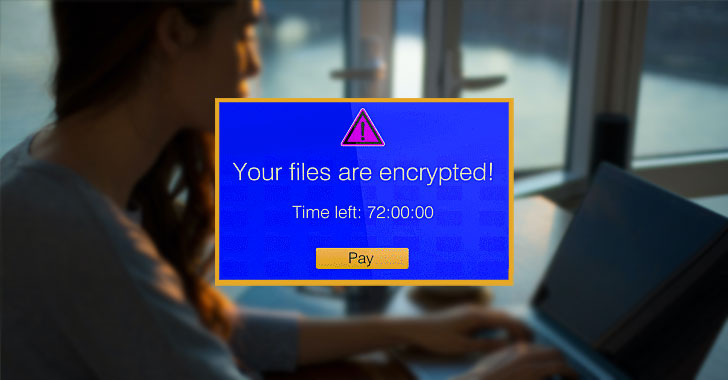
Ransomware[1]
is not a new attack vector. In fact, the first malware of its kind[2] appeared more than 30
years ago and was distributed via 5.25-inch floppy disks. To pay
the ransom, the victim had to mail money to a P.O. Box in
Panama.
Fast forward to today, affordable ransomware-as-a-service (RaaS)
kits are available on the dark web for anyone to purchase and
deploy and attackers have an infinite number of channels available
to them to infiltrate organizations as a result of reliance on
cloud and mobile technologies.
Initiating a ransomware attack is all about discretely gaining
access. And as employees can now access your data from anywhere,
you have lost visibility into how they do so. To safeguard against
these attacks, you’re not just looking for malware, you need
continuous insights into your users, the endpoints they use and the
applications and data they access.
Lookout[3], a leader in
endpoint-to-cloud security, has published an interactive
infographic to help you visualize how a ransomware attack happens[4] and understand how to
protect your data. Lookout will use this blog to set up 1) the
climate that resulted in $20-billion dollars in ransom payments in
2021[5], and 2) how you can
protect your organization from these ongoing threats.
Work from anywhere improves both productivity and
attacker infiltration
While the actual malware used to hold your data hostage is
called “ransomware,” that’s not what you should focus on. Before
anything is deployed, attackers need access to your
infrastructure.
Today, users are accessing data using networks you don’t control
and devices you don’t manage, rendering whatever on-premises
security measures you had obsolete.
This means threat actors can launch phishing attacks to
compromise user credentials or exploit a vulnerable app with little
consequence. And once they are inside your infrastructure, they
quickly deploy malware to create persistent backdoors that enable
them to come and go as they please. If they escalate privileges, it
becomes nearly impossible to stop them from moving around laterally
and holding your data hostage.
Step-by-step: how to protect against
ransomware
There are a number of steps that happen between an attacker
accessing your infrastructure and asking for a ransom. These steps
are outlined in the anatomy of a ransomware attack
infographic[6] and here is a high-level
rundown of what happens and how you can protect your
organization.
1 — Block phishing attacks and cloak web-enabled
apps
One of the easiest ways attackers gain access is by taking over
a user account by compromising credentials with phishing attacks.
It’s critical to be able to inspect web traffic on any device[7] to block these attacks
from affecting both PC and mobile users[8]. This will ensure that
ransomware operators can’t kick off their attacks by compromising
accounts.
Threat actors will also crawl the web to find vulnerable or
exposed internet-facing infrastructure to exploit. Many
organizations have apps or servers exposed to the web to enable
remote access, but this means attackers can find them and look for
vulnerabilities. Cloaking these apps[9]
from discovery is a key defense tactic. This helps you move away
from the unbridled access provided by VPNs and make sure only
authorized users access the data they need.
2 — Detect and respond to anomalous behaviors
If attackers manage to enter your infrastructure, they will
begin moving laterally to conduct reconnaissance. This is to find
additional vulnerabilities with the ultimate goal of uncovering
sensitive data. Some of the steps they could take include changing
your settings to lower security permissions, exfiltrating data and
uploading malware.
Some of these steps may not be outright malicious behavior but
can be considered anomalous behavior. This is where an
understanding of user and device behavior and segmenting access at
the application level becomes essential. To stop lateral movement,
you need to ensure no users have free roam of your infrastructure
and that they aren’t acting in a malicious manner. It’s also
crucial to be able to detect excessive or misconfigured privileges
so that you can prevent changes to your app and cloud posture.
3 — Render data useless for ransom with proactive
encryption
The final step of a ransomware attack is to hold your data
hostage. In addition to encrypting the data and locking your admins
out, the attacker could also exfiltrate some data to use as
leverage, then delete or encrypt what’s left in your
infrastructure.
Exfiltration and impact are usually when the attacker finally
reveals their presence. The changes they make to data, regardless
of if it’s at rest or in motion, will set off alarm bells and they
will demand payments. However, you can make all their efforts for
naught if that data is encrypted proactively by your security
platform and renders it absolutely useless to the attacker.
Encryption is a critical part of any data loss prevention
(DLP)[10] strategy, and
triggering it off of contextual data protection policies can help
you protect your most sensitive data from compromise.
Securing against ransomware: point products versus a unified
platform
A ransomware attack isn’t just a single event; it’s a persistent
threat. To secure your organization, you need a full picture of
what is happening with your endpoints, users, apps and data. This
ensures that you can block phishing attacks, cloak web apps, detect
and respond to lateral movement, and protect your data even if it
is exfiltrated and held for ransom.
Historically, organizations have purchased new tools to mitigate
new problems. But this type of approach will not work with threats
like ransomware. While you may have some telemetry into your users’
access activity, the health of their corporate-owned device and how
your data is handled, your security team will have to manage
multiple consoles that don’t work with each other.
Lookout understand the need for a platform approach and have
built a Security Service Edge (SSE)
platform[11] that includes DLP,
User and Entity Behavior Analytics
(UEBA)[12] and Enterprise Digital Rights
Management (EDRM)[13].
With a platform that provides integrated insights into
everything that’s happening inside your organization, we enable you
to secure sensitive data without hindering productivity. Lookout’s
SSE platform was recently named a Visionary by the 2022 Gartner Magic Quadrant for
SSE[14]. Lookout also scored in
the top three for all SSE use cases in the 2022 Gartner Critical Capabilities
for SSE[15].
To learn more about key lessons you can learn from large
ransomware attacks in 2021, and how to protect your sensitive data,
download Lookout’s latest guide on
ransomware[16].
References
- ^
Ransomware
(www.lookout.com) - ^
first
malware of its kind (www.theatlantic.com) - ^
Lookout
(www.lookout.com) - ^
how a
ransomware attack happens (www.lookout.com) - ^
$20-billion dollars in ransom payments
in 2021 (securityintelligence.com) - ^
anatomy
of a ransomware attack infographic
(www.lookout.com) - ^
inspect
web traffic on any device (www.lookout.com) - ^
mobile
users (www.lookout.com) - ^
Cloaking
these apps (www.lookout.com) - ^
data
loss prevention (DLP) (www.lookout.com) - ^
Security Service Edge (SSE)
platform (www.lookout.com) - ^
User
and Entity Behavior Analytics (UEBA)
(www.lookout.com) - ^
Enterprise Digital Rights Management
(EDRM) (www.lookout.com) - ^
2022
Gartner Magic Quadrant for SSE
(www.lookout.com) - ^
2022
Gartner Critical Capabilities for SSE
(www.lookout.com) - ^
guide
on ransomware (www.lookout.com)
Read more https://thehackernews.com/2022/05/how-to-protect-your-data-when.html